


개발보드/프로그래머
관련상품
등록된 상품이 없습니다.
상품 정보
상품 기본설명
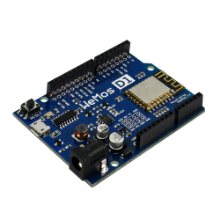
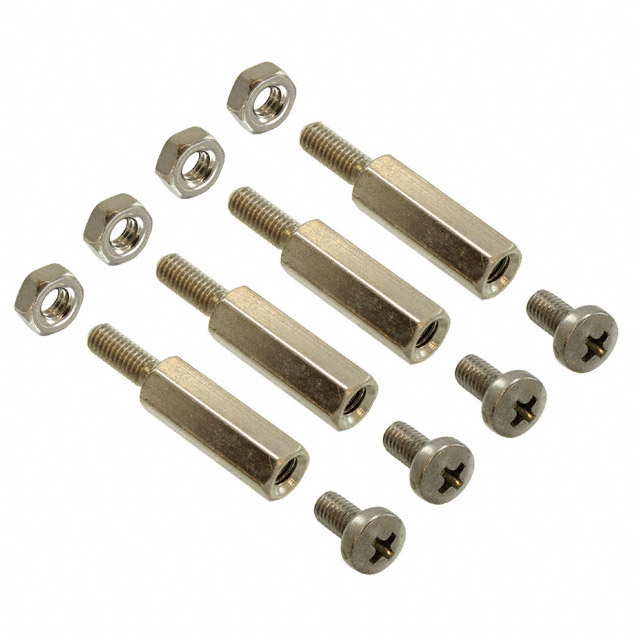
WEMOS D1 R2버전
상품 상세설명
상품상세정보
 강의자료를 확인해보세요.
![[A-06]_01.png](http://cafe24.poxo.com/ec01/eduino/z3YOBqiuI6lC0rXfWithEdL8SAf/9jOIHTKXoHbfMjZOS9Mp8dOpClrfXnF29gSPkhICt0X4UNZW+O/pv2ZMoQ==/_/product/a/6/%5BA-06%5D_01.png)
![[A-06]_02.png](http://cafe24.poxo.com/ec01/eduino/z3YOBqiuI6lC0rXfWithEdL8SAf/9jOIHTKXoHbfMjZOS9Mp8dOpClrfXnF29gSPkhICt0X4UNZW+O/pv2ZMoQ==/_/product/a/6/%5BA-06%5D_02.png)
![[A-06]_03.png](http://cafe24.poxo.com/ec01/eduino/z3YOBqiuI6lC0rXfWithEdL8SAf/9jOIHTKXoHbfMjZOS9Mp8dOpClrfXnF29gSPkhICt0X4UNZW+O/pv2ZMoQ==/_/product/a/6/%5BA-06%5D_03.png)
![[A-06]_04.png](http://cafe24.poxo.com/ec01/eduino/z3YOBqiuI6lC0rXfWithEdL8SAf/9jOIHTKXoHbfMjZOS9Mp8dOpClrfXnF29gSPkhICt0X4UNZW+O/pv2ZMoQ==/_/product/a/6/%5BA-06%5D_04.png)
![[A-06]_05.png](http://cafe24.poxo.com/ec01/eduino/z3YOBqiuI6lC0rXfWithEdL8SAf/9jOIHTKXoHbfMjZOS9Mp8dOpClrfXnF29gSPkhICt0X4UNZW+O/pv2ZMoQ==/_/product/a/6/%5BA-06%5D_05.png)
![[A-06]_06.png](http://cafe24.poxo.com/ec01/eduino/z3YOBqiuI6lC0rXfWithEdL8SAf/9jOIHTKXoHbfMjZOS9Mp8dOpClrfXnF29gSPkhICt0X4UNZW+O/pv2ZMoQ==/_/product/a/6/%5BA-06%5D_06.png)
위 이미지와 같이 빈공간을 클릭해 아래의 URL 주소를 복사하여 붙여넣기 해준 다음, 'OK' 버튼을 눌러줍니다.
url 복사 : http://arduino.esp8266.com/stable/package_esp8266com_index.json
![[A-06]_07.png](http://cafe24.poxo.com/ec01/eduino/z3YOBqiuI6lC0rXfWithEdL8SAf/9jOIHTKXoHbfMjZOS9Mp8dOpClrfXnF29gSPkhICt0X4UNZW+O/pv2ZMoQ==/_/product/a/6/%5BA-06%5D_07.png)
![[A-06]_08.png](http://cafe24.poxo.com/ec01/eduino/z3YOBqiuI6lC0rXfWithEdL8SAf/9jOIHTKXoHbfMjZOS9Mp8dOpClrfXnF29gSPkhICt0X4UNZW+O/pv2ZMoQ==/_/product/a/6/%5BA-06%5D_08.png)
이미지나 URL을 클릭하여 Python 홈페이지에 접속해줍니다.
url 복사 : http://www.python.org/downloads
url 복사 : http://www.python.org/downloads
![[A-06]_09.png](http://cafe24.poxo.com/ec01/eduino/z3YOBqiuI6lC0rXfWithEdL8SAf/9jOIHTKXoHbfMjZOS9Mp8dOpClrfXnF29gSPkhICt0X4UNZW+O/pv2ZMoQ==/_/product/a/6/%5BA-06%5D_09.png)
![[A-06]_10.png](http://cafe24.poxo.com/ec01/eduino/z3YOBqiuI6lC0rXfWithEdL8SAf/9jOIHTKXoHbfMjZOS9Mp8dOpClrfXnF29gSPkhICt0X4UNZW+O/pv2ZMoQ==/_/product/a/6/%5BA-06%5D_10.png)
![[A-06]_11.png](http://cafe24.poxo.com/ec01/eduino/z3YOBqiuI6lC0rXfWithEdL8SAf/9jOIHTKXoHbfMjZOS9Mp8dOpClrfXnF29gSPkhICt0X4UNZW+O/pv2ZMoQ==/_/product/a/6/%5BA-06%5D_11.png)
![[A-06]_12.png](http://cafe24.poxo.com/ec01/eduino/z3YOBqiuI6lC0rXfWithEdL8SAf/9jOIHTKXoHbfMjZOS9Mp8dOpClrfXnF29gSPkhICt0X4UNZW+O/pv2ZMoQ==/_/product/a/6/%5BA-06%5D_12.png)
![[A-06]_13.png](http://cafe24.poxo.com/ec01/eduino/z3YOBqiuI6lC0rXfWithEdL8SAf/9jOIHTKXoHbfMjZOS9Mp8dOpClrfXnF29gSPkhICt0X4UNZW+O/pv2ZMoQ==/_/product/a/6/%5BA-06%5D_13.png)
![[A-06]_14.png](http://cafe24.poxo.com/ec01/eduino/z3YOBqiuI6lC0rXfWithEdL8SAf/9jOIHTKXoHbfMjZOS9Mp8dOpClrfXnF29gSPkhICt0X4UNZW+O/pv2ZMoQ==/_/product/a/6/%5BA-06%5D_14.png)
![[A-06]_15.png](http://cafe24.poxo.com/ec01/eduino/z3YOBqiuI6lC0rXfWithEdL8SAf/9jOIHTKXoHbfMjZOS9Mp8dOpClrfXnF29gSPkhICt0X4UNZW+O/pv2ZMoQ==/_/product/a/6/%5BA-06%5D_15.png)
|
1
2
3
4
5
6
7
8
9
10
11
12
13
14
15
16
17
18
19
20
21
22
23
24
25
26
27
28
29
30
31
32
33
34
35
36
37
38
39
40
41
42
43
44
45
46
47
48
49
50
51
52
53
54
55
56
57
58
59
60
61
62
63
64
65
66
67
68
69
70
71
72
73
74
75
76
77
78
79
80
81
82
83
84
85
86 |
#include <ESP8266WiFi.h>
#include <ESP8266mDNS.h>
#include <WiFiUdp.h>
#include <ArduinoOTA.h>
const char* ssid = "..........";
const char* password = "..........";
//variabls for blinking an LED with Millis
const int led = D5; // ESP8266 Pin to which onboard LED is connected
unsigned long previousMillis = 0; // will store last time LED was updated
const long interval = 1000; // interval at which to blink (milliseconds)
int ledState = LOW; // ledState used to set the LED
void setup() {
pinMode(led, OUTPUT);
Serial.begin(115200);
Serial.println("Booting");
WiFi.mode(WIFI_STA);
WiFi.begin(ssid, password);
while (WiFi.waitForConnectResult() != WL_CONNECTED) {
Serial.println("Connection Failed! Rebooting...");
delay(5000);
ESP.restart();
}
// Port defaults to 8266
// ArduinoOTA.setPort(8266);
// Hostname defaults to esp8266-[ChipID]
// ArduinoOTA.setHostname("myesp8266");
// No authentication by default
// ArduinoOTA.setPassword("admin");
// Password can be set with it's md5 value as well
// MD5(admin) = 21232f297a57a5a743894a0e4a801fc3
// ArduinoOTA.setPasswordHash("21232f297a57a5a743894a0e4a801fc3");
ArduinoOTA.onStart([]() {
String type;
if (ArduinoOTA.getCommand() == U_FLASH)
type = "sketch";
else // U_SPIFFS
type = "filesystem";
// NOTE: if updating SPIFFS this would be the place to unmount SPIFFS using SPIFFS.end()
Serial.println("Start updating " + type);
});
ArduinoOTA.onEnd([]() {
Serial.println("\nEnd");
});
ArduinoOTA.onProgress([](unsigned int progress, unsigned int total) {
Serial.printf("Progress: %u%%\r", (progress / (total / 100)));
});
ArduinoOTA.onError([](ota_error_t error) {
Serial.printf("Error[%u]: ", error);
if (error == OTA_AUTH_ERROR) Serial.println("Auth Failed");
else if (error == OTA_BEGIN_ERROR) Serial.println("Begin Failed");
else if (error == OTA_CONNECT_ERROR) Serial.println("Connect Failed");
else if (error == OTA_RECEIVE_ERROR) Serial.println("Receive Failed");
else if (error == OTA_END_ERROR) Serial.println("End Failed");
});
ArduinoOTA.begin();
Serial.println("Ready");
Serial.print("IP address: ");
Serial.println(WiFi.localIP());
}
void loop() {
ArduinoOTA.handle();
//loop to blink without delay
unsigned long currentMillis = millis();
if (currentMillis - previousMillis >= interval) {
// save the last time you blinked the LED
previousMillis = currentMillis;
// if the LED is off turn it on and vice-versa:
ledState = not(ledState);
// set the LED with the ledState of the variable:
digitalWrite(led, ledState);
}
} |
cs |
![[A-06]_16.png](http://cafe24.poxo.com/ec01/eduino/z3YOBqiuI6lC0rXfWithEdL8SAf/9jOIHTKXoHbfMjZOS9Mp8dOpClrfXnF29gSPkhICt0X4UNZW+O/pv2ZMoQ==/_/product/a/6/%5BA-06%5D_16.png)
사용후기
등록된 사용후기
사용후기가 없습니다.
상품문의
등록된 상품문의
상품문의가 없습니다.
배송정보